More hotkeys, keybinds, shortcuts, quick action combinations
Suggest here more hotkey action ideas to add after update 5
Comments: 104
Oldest
•
Newest
•
Most likes
•
Fewest likes
-
27 Feb, '24
Gin Fuyou SystemHighlighted comment
"More control customisation" (suggested by <Hidden> on 2024-02-24), including upvotes (1) and comments (0), was merged into this suggestion. -
25 Mar, '22
Jim MergedHow is there no shortcut to remove trees zones, cut zones, any crop zone - quickly.
It would be nice to not have to go to the menu bar every time I messed up to remove a square or two. I would suggest a Control+Click/Drag to remove the zoning for whatever currently selected tool is. It gets quite annoying to go from the middle of the screen, to the bottom, then perhaps miss the button slightly, or clicked and dragged off the button too quickly and it doesn't register the click, to the middle, then back to the bottom because I missed the button, then back to the middle of the screen, select the zone I want to remove, then try and go back and find the specific tool I was just using. It gets annoying very quickly.
This suggestion is similar to this one:
https://timberborn.featureupvote.com/suggestions/256467/convenient-way-to-place-and-remove-cropstrees-etc -
02 Oct, '23
John Beaver MergedThanks for adding customizable hotkeys! It is especially nice that modifier keys can be used in the keybinding menu, for example being able to set something to the combo of Shift+E.
My request is that if a keybind is set to a combo like this, can the combo not also activate the unmodified key. So in the example of binding something Shift+E, as long as Shift is being held then pressing E would only activate the thing bound to "Shift+E" and not whatever is bound to just plain "E". -
08 Oct, '23
Hodor MergedI would like there to be a hotkey to mark a building to be worked by bots. If I build 20 gear factories for example and I want all of them to be worked by bots, I currently have to click on each one, then click the bot icon. It's easy to miss a building. If I could click a building, press "B" to assign a bot, I could do this very quickly.
-
10 Oct, '23
Gin Fuyou System"Hotkey to mark a building for bot workers" (suggested by Hodor on 2023-10-08), including upvotes (1) and comments (0), was merged into this suggestion.
-
11 Oct, '23
shawn Mergedjust adding ctrl to remove anything (or what is selected) would be helpful for example when building and u miss click having to press several clicks to remove it only to go back through the menu to replace it. allowing ctrl to demolish buildings, shift to remove cut/plant zones would make simple miss clicks less annoying
-
13 Oct, '23
Jim MergedBuild Path
Set Priority X (the UI tool, not the per building option)
Destroy
Ideally, all build options could have a hotkey, but be undefined by default. That'd give choice. Subgroups and chained keystrokes are cumbersome and for new players (I've played about ten hours) unlikely to be used. -
16 Oct, '23
Gin Fuyou System"Actions requiring hotkeys" (suggested by Jim on 2023-10-13), including upvotes (1) and comments (0), was merged into this suggestion.
-
31 Oct, '23
Gin Fuyou System"Discrete keybind combos" (suggested by John Beaver on 2023-10-02), including upvotes (2) and comments (0), was merged into this suggestion.
-
31 Oct, '23
Gin Fuyou System"Shortcut (like ctrl+click+drag) to remove zones" (suggested by Jim on 2022-03-25), including upvotes (4) and comments (1), was merged into this suggestion.
-
02 Nov, '23
Gin Fuyou System"Unlock Camera Keybind" (suggested by Chris Charlton on 2023-10-29), including upvotes (1) and comments (0), was merged into this suggestion.
-
02 Nov, '23
Gin Fuyou System"Set Priority keybind" (suggested by Chris Charlton on 2023-10-29), including upvotes (1) and comments (0), was merged into this suggestion.
-
10 Nov, '23
Hai MergedI'm using the newest experimental version.
1. It would be useful if the same keyboard shortcut that I can assign to detonate TNT would also trigger the "Demolish" state on Blockages.
2. Shortcuts for selecting the previous and next recipes would be very nice, too, under "Buildings".
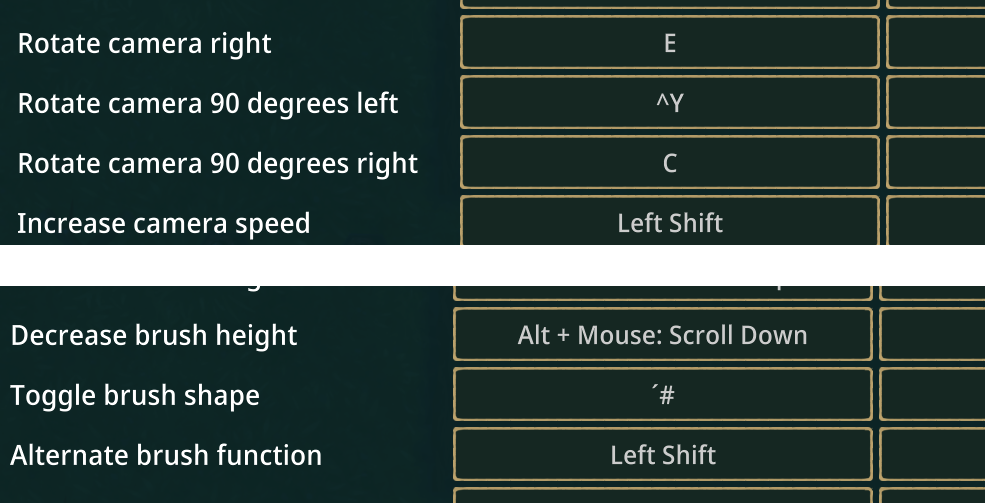
(I'm unfortunately still getting the little display bug so that e.g. Y is displayed as "^Y" or # as ´# in the dialog.)
Best regards!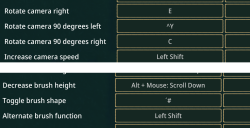
-
14 Nov, '23
Gin Fuyou System"Keyboard shortcut suggestions" (suggested by Hai on 2023-11-10), including upvotes (1) and comments (0), was merged into this suggestion.
-
17 Nov, '23
Sterling MergedYou can currently add key bindings to rotate camera left/right, but no key bindings to tilt camera up down! Would be super helpful. I use Q and E for left/right rotation, R and F might be good candidates for up/down camera tilt.
-
20 Nov, '23
Gin Fuyou System"Quick Save Key" (suggested by H.K. on 2023-11-08), including upvotes (1) and comments (0), was merged into this suggestion.
-
22 Nov, '23
Gin Fuyou System"Add key binding to tilt camera" (suggested by Sterling on 2023-11-17), including upvotes (1) and comments (0), was merged into this suggestion.
-
26 Dec, '23
Marcel GarciaMore than 2 years, and no hotkeys, under consideration!, incredible, at last road and most used constructions!
-
26 Dec, '23
Gin Fuyou AdminCustomizable hotkeys are added, this is a new thread to add more. Update will hit main branch in January
-
08 Jan, '24
netorare Merged"Change keybind of the mouse grip." (suggested by <Hidden> on 2024-01-08)
Currently it is in the middle mouse button only. -
02 Feb, '24
Brennan MergedAdd a hotkey so that a building switches from beaver to bot powered. I would suggest "B".
-
07 Feb, '24
Gin Fuyou System"Hotkey for bots" (suggested by <Hidden> on 2024-02-02), including upvotes (1) and comments (0), was merged into this suggestion.
-
14 Feb, '24
smoorke Mergedcurrently alt+wheel-up increases elevation while i feel it would be more intuitive to have it lower elevation. this is more in line to how wheel-up w/o modifiers zooms in.
-
18 Feb, '24
Gin Fuyou System"Swap Alt + Wheel-up/down to change elevation" (suggested by <Hidden> on 2024-02-14), including upvotes (1) and comments (0), was merged into this suggestion.
-
24 Feb, '24
Tom MergedOn Mac laptops, there's no ability to middle click, making controlling the camera pitch impossible. My suggestion is to add more control customisation:
1. The ability to bind keys to camera pitch (most top down games use 'e' and 'c' by default.
2. The ability to bind mouse gestures (e.g. instead of using middle click and drag, use hold 'shift' and scroll)
3. The ability to use multi-touch gestures (e.g. pinch to zoom instead of scroll to zoom; and swipe up/down with two fingers to pitch the camera). -
25 Feb, '24
LK MergedWould be great if you could assign hotkeys for common tasks like build path, demolish building, mark trees for harvest, etc... They don't even have to be set by default, just having the ability to map them would be nice.
The scrolling between tabs isn't very useful. If each tab was an fn key that would be more user friendly. The fact that it takes two clicks to build anything is a bit annoying as a player. -
27 Feb, '24
Gin Fuyou System"Better hotkeys for common tasks" (suggested by <Hidden> on 2024-02-25), including upvotes (1) and comments (0), was merged into this suggestion.
-
01 Jul, '24
BeaverFever MergedI really love the game but the amount of clicking back and forth between menu's is insane. It feels like the game is missing this huge QoL feature. I'm glad there's a hotkey for delete but there should also be a hotkey for area delete(s!). It would be nice if there was a hotbar or if I could hover over a button and create a keybind in a keybind mode.
-
11 Jul, '24
Gin Fuyou System"Please dear god let me add custom keybinds to every button" (suggested by <Hidden> on 2024-07-01), including upvotes (1) and comments (0), was merged into this suggestion.
-
14 Jul, '24
Dester1865 MergedI propose to introduce a new system for assigning items and liquids to storage facilities, the essence is simple.
if you're tired of pointing at every empty barrel or storage facility every time,
shift + double click - selects all empty objects within a radius of 5*5 cells (can be changed in the settings)
ctrl + double click - displays all empty objects
shift + click - select several barrels / store to select an object, all this can be changed in the key binding settings, this will greatly simplify both initial and advanced settlements -
29 Jul, '24
Gin Fuyou System"storades" (suggested by <Hidden> on 2024-07-14), including upvotes (1) and comments (0), was merged into this suggestion.
-
23 Aug, '24
SemperRabbit MergedThere are keybindings currently for raise/lower the visible layer with Ctrl+scrollwheel, but I propose that there be a keybinding for "Reset visible layer," potentially with a default of Ctrl+middle mouse button.
Also, of note, middle mouse button with or without modifiers is unable to be used for keybindings.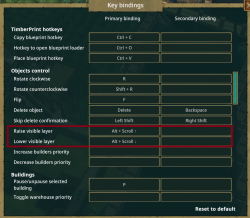
-
23 Aug, '24
Gin Fuyou System"Keybinding option for "Reset visible layers"" (suggested by <Hidden> on 2024-08-23), including upvotes (1) and comments (0), was merged into this suggestion.
-
23 Aug, '24
evilkittie666To add one to what SemperRabbit suggested, you could use page up/down and the home/end keys for going up/down layers as well as to the top and bottom using the same behavior as a web browser
-
11 Oct, '24
Gin Fuyou System"Add keybind to increase sluice height like with floodgates" (suggested by <Hidden> on 2024-10-11), including upvotes (1) and comments (0), was merged into this suggestion.
-
12 Oct, '24
Gin Fuyou System"Hotkey for Toggling Beaver/Bot workplace" (suggested by <Hidden> on 2024-10-12), including upvotes (1) and comments (0), was merged into this suggestion.
-
22 Oct, '24
Callum Mergedi know the game is pretty maxed out on keys that you can use but customizable keybinds for placing paths and simple things like that, i think would go a long way!
-
23 Oct, '24
Gin Fuyou System"Give us more customizable keybinds" (suggested by <Hidden> on 2024-10-22), including upvotes (1) and comments (0), was merged into this suggestion.
-
17 Dec, '24
KongScarlet MergedPlease add keyboard short cuts for deleting buildings and building roads. That will greatly improve the gaming experience. Thanks!
-
17 Dec, '24
Gin Fuyou System"Add keyboard short cuts for deleting buildings and building roads" (suggested by <Hidden> on 2024-12-17), including upvotes (1) and comments (0), was merged into this suggestion.
-
30 Dec, '24
David MergedNeed keyboard shortcuts for building a path, and removing vegetation. Also would be nice if mouse wheel could rotate objects before placing
-
31 Dec, '24
Gin Fuyou System"Keyboard shortcuts" (suggested by <Hidden> on 2024-12-30), including upvotes (1) and comments (0), was merged into this suggestion.
-
02 Jan, '25
DavidIf you want to remove a plant at high priority it is 5 clicks. Select remove resources (2 clicks), select the plant (1 click), now click on the plant and select high priority (2 clicks). And still with high priority it can take over a day for the beavers to remove the plant.
If you have selected a plant, there needs to be a button in the box for removal/
If you select a forester, have a button for each kind of tree to plant. Same for farm, etc.... -
18 Apr, '25
Logan Hale MergedWould be nice to have hotkeys, that will allow for easier placement on multiple heights.