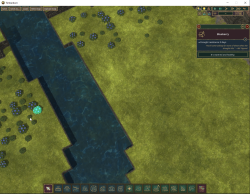
While in Map Editor / Creator mode can NOT click Water source or Badwater source, select issue
In version 0.7.9.1 selection of most objects is disabled in the map editor creator mode, such as:
-Slope
-Ruins
-Blockage
-Natural overhang
-Water source
-Badwater source
Trees however can still be selected.
Why is this a problem?
Can not adjust the strength of the water sources without selection. (!important!)
Can not quickly delete a single object. (must use delete tool only, QOL fix)
Comments: 9
Oldest
•
Newest
•
Most likes
•
Fewest likes
-
01 Jun, '25
Iph MergedHighlighted comment
I'm trying to find out what the strength of the underground water source is on hollows map is, so I opened it in the map editor, but I can't click on it. Some testing indicates that any water source placed on height 0 is unselectable. -
02 Jun, '25
Gin Fuyou Admin PinnedI can confirm I also have a major issue with selecting items in map editor. I can't even select trees sometimes.
It's somewhat fixed by playing with layer tool.
Perhaps it's related to something specific, maybe game mode or system -
04 Jun, '25
Gin Fuyou System"Can't click on water source in map editor? Bug, maybe" (suggested by <Hidden> on 2025-06-01), including upvotes (1) and comments (0), was merged into this suggestion.
-
04 Jun, '25
Gin Fuyou AdminDevelopers can't reproduce the issue, please share your system config, OS, full game version and if you are using mods
-
12 Jun, '25
StefanI still have this problem with 0.7.9.4. Especially on large maps I can't seem to click a water source unless I reduce the visible layers below the z-level of the water source and then back again, meaning I can never click a water source that's placed on the bottom layer.
It's difficult to click on trees or blueberry bushes or even the large district center as well. When I try to click one, sometimes it's selected, sometimes one close to where I clicked is selected (but clearly not where I clicked).
I can easily reproduce this with pretty much every map, for example with the official maps Lakes or Plains. Load one of them in the map editor and try to click on a tree, for example. -
12 Jun, '25
StefanSorry, why can't I edit my comment from earlier?
I'm using two mods, Harmony and Lunch Break. After disabling them and restarting, everything worked normal again, and even after re-enabling the mods and restarting the game, everything still works.
So, yes, that fixed it for me. Very strange. -
13 Jun, '25
Gin Fuyou AdminMight be mods issue, dunno. Not sure who marked it as done, but fine then
-
15 Jun, '25
StefanWell, now I can reproduce it, and it's not mod related. I've disabled and even unregistered the two mods mentioned previously, so no mods involved.
After restarting the game, when you go to the map editor, everything works fine. However, if you play first, the issue still exists. So to reproduce:
1. Start Timberborn
2. Continue or start a new game
3. Exit to main menu
4. Open a map in the map editor (I used Lakes as it's the first one in the list)
=> Water sources can't be selected, plants are problematic, too. For example, when I click where the mouse is in the screenshot, the blueberry bush to the right is selected.